
End-to-End Workflow for Automated Skill Assessments and Candidate Evaluation
Abstract
This section provides a detailed overview of the AI-driven assessment platform designed to streamline hiring workflows — from parsing job descriptions and customizing skill-based assessments to secure test delivery and advanced reporting. It walks through key functionalities including automated question generation, resume tagging, candidate communication, proctoring modes, custom branding, and team management. Whether you're an HR team lead, recruiter, or platform admin, this guide will help you maximize the platform's capabilities for efficient and reliable talent evaluation.
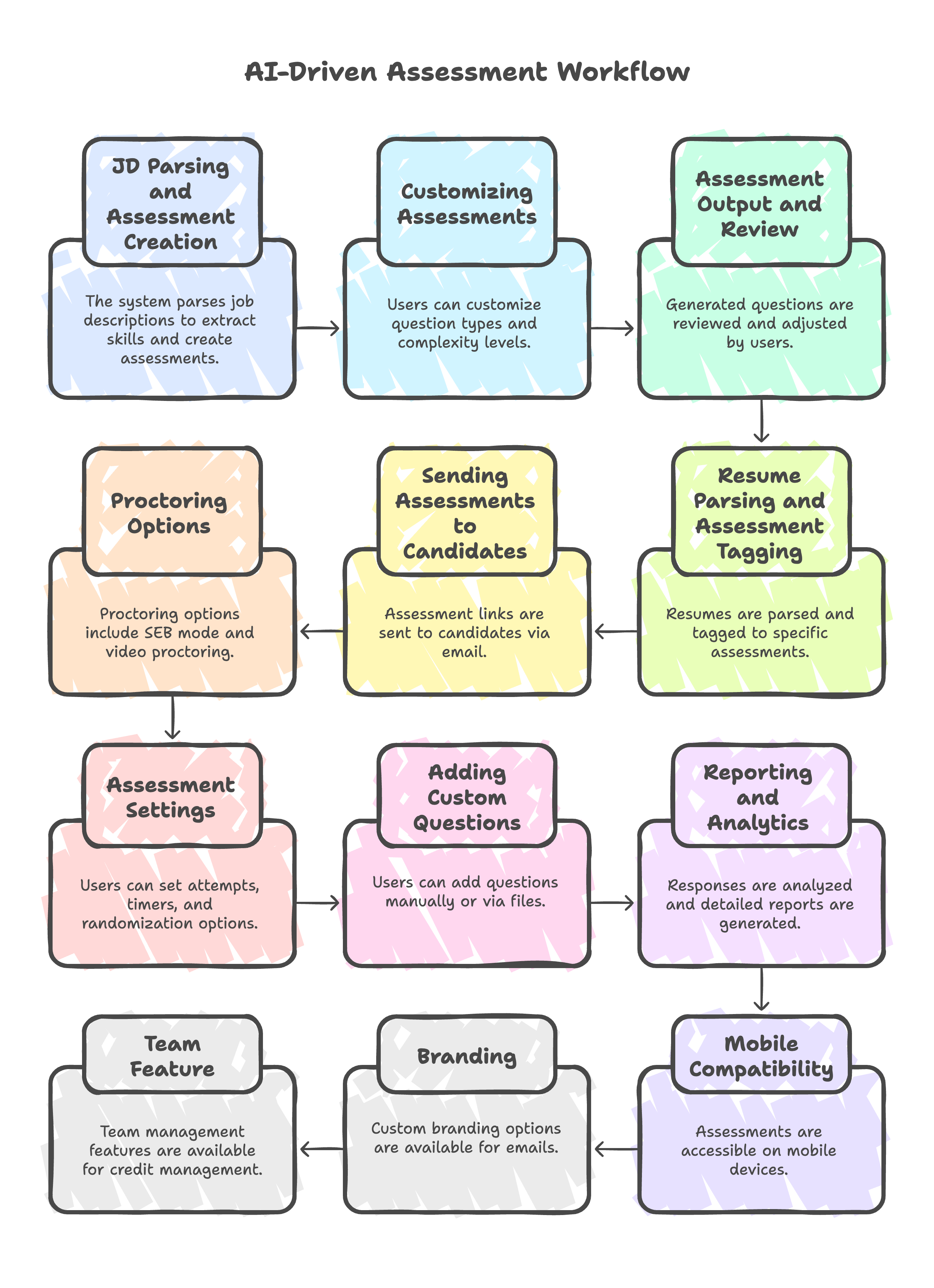
JD Parsing and Assessment Creation
The system can parse a Job Description (JD) file (e.g., for a Java full-stack developer) to extract required and preferred skills. Based on the required skills, the AI automatically creates an assessment, grouping skills into a maximum of five sections (e.g., Programming Languages, Web Development Frameworks, APIs, Database, Development Tools). This process deducts two AI credits.
Customizing Assessments
Users can customize question types (coding, multiple-choice), the number of questions per section, and complexity levels (beginner, advanced) before generating questions. Generating questions deducts five credits per section.
Assessment Output and Review
The generated questions are displayed in a new window, allowing users to delete or create new sections and questions. For coding questions, candidates write code in Java, JavaScript, or Python. Users are advised to review generated questions for accuracy.
Resume Parsing and Assessment Tagging
After uploading resumes, users can view them in a table or card view. Assessments can be tagged to specific candidates.
Sending Assessments to Candidates
The assessment link can be published and sent to selected users via email. The email template includes a description that can be customized.
Proctoring Options
Safe Exam Browser (SEB) Mode
Candidates must install external software (SEB) that prevents switching windows, copy-paste, or accessing external resources. This mode requires a laptop and camera but does not provide video reports.
Video Proctoring
In addition to SEB, video proctoring captures images of the candidate periodically and generates a behavior report (e.g., mobile phone usage). Requires an image named as [email_id].jpeg.
Assessment Settings
- Attempts: Users can set the number of test attempts allowed. If a candidate faces issues (e.g., power outage), the link must be resent manually, and the test restarts.
- Timers: Assessments can have defined open and close times.
- Randomization: Useful for in-person exams; questions and answers can be shuffled.
Adding Custom Questions
Users can manually add questions or upload them via an Excel file (with specific formatting) or a JSON file.
Reporting and Analytics
Responses are available in the dashboard. Users can generate and export detailed reports, including skill gap and cumulative analysis.
Mobile Compatibility
Assessments are accessible on mobile devices, although the display is optimized for laptop usage.
Email Branding
The platform currently uses a customizable email sender. To show your brand with your company name, logo in email notifications, a configuration with email template solution is provided.
Team Feature
The platform supports internal team creation for centralized credit management across members using the JD parser or quiz generator. The "Team" feature allows an organization to centralize the deduction of AI credits for quiz generation and JD parsing. An administrator can invite other members from the same email domain to join the team. These invited members can then use the application's features, and any credits deducted for their usage will be drawn from the company's central credit pool. The administrator can assign roles to invited members, such as "Member" (who can use the app) or "Admin" (who can invite more members).